




Git 组成
- tree —> folder、blob —> file 、Commit
type blob = array<byte>

type tree = map<String, tree | blob>

type Commit = Struct {
    parents: array<Commit>
    author: String
    message: String
    snapshot: tree
}

type object = blob | tree | Commit

objects = map<String, object>

def store(obj):
    id = sha1(obj)
    objects[id] = obj

def load(obj):
    return objects[id]
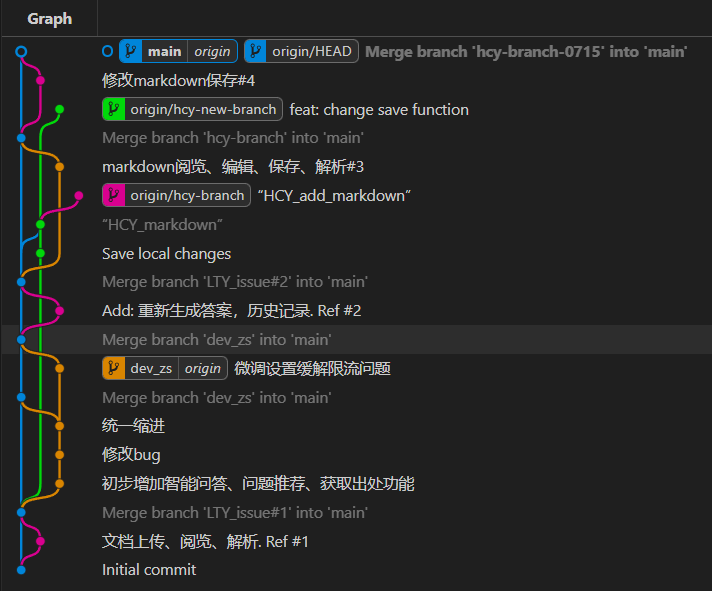
- DAG(Directed Acyclic Graph)
Git 结构
工作区
- 本地目录,目录下的所有文件夹(tree)和文件(blob)均可被git追踪并进行版本控制
仓库/版本库(repository,.git/)
- 工作区中的.git/文件夹,进行版本控制时的存储目录
暂存区(stage,index)
- 暂存更改的信息,以便选择性地提交(创建快照)
Git 常用操作
配置
通过命令行
git config
通过修改配置文件
vim ~/.gitconfig 或 git config --global ...
- alias:别名
- http(s).proxy:代理
初始化本地仓库
初始化
git init
- 在工作区中创建版本库,开始跟踪工作区内所有文件
配置不跟踪文件列表
vim .gitignore
- 支持正则,写入的文件或文件夹不会被跟踪
- 写法:
- file:所有名为file的文件
- dir/:所有名为dir的文件夹
- /file:.gitignore同目录下名为file的文件
查看git运行状态
查看提交状态
git status
- 显示工作区和暂存区、暂存区和最近提交(HEAD所指节点)之间的区别
- Displays paths that have differences between the index file and the current HEAD commit, paths that have differences between the working tree and the index file, and paths in the working tree that are not tracked by Git (and are not ignored by gitignore[5]). The first are what you would commit by running
git commit; the second and third are what you could commit by runninggit addbefore runninggit commit.
查看提交日志
git log
- 显示提交
- Shows the commit logs. List commits that are reachable by following the
parentlinks from the given commit(s), but exclude commits that are reachable from the one(s) given with a ^ in front of them. The output is given in reverse chronological order by default. You can think of this as a set operation. Commits reachable from any of the commits given on the command line form a set, and then commits reachable from any of the ones given with ^ in front are subtracted from that set. The remaining commits are what comes out in the command’s output. Various other options and paths parameters can be used to further limit the result. - git log [commitID] 表示最初到[commitID]提交之间的提交记录,默认为HEAD
- git log origin..HEAD = git log HEAD ^origin,表示从远程仓库最近提交到本地HEAD提交之间的提交信息
- --graph,可视化形式
查看文件差异
git diff [commit A] [commit B] [path]
- 显示A、B两次提交之间文件的差别,默认比较所有文件
查看文件每部分的提交者信息
git blame [file]
查看提交的详细信息
git show [commit]
暂存与提交
暂存当前修改
git add [path]
- -p:交互式地选择具体暂存部分
提交暂存的修改
git commit
-
-m [message]:不进入编辑器简写说明信息
-
commit message的一般写法:
[<type>:<systemScope>][<project>#<taskId/bugId/issueId>] : <subject>- type(必须):feature(新功能)、fix(完整修复)、to(部分修复)、test、refactor(重构)、docs、chore(杂项)、style(代码风格)、perf(性能优化)、revert(回滚)、merge
- systemScope(可选):系统范围、层次
- project(可选):项目范围
- subject(必须):简短描述
将当前修改另存并还原
git stash
将另存的修改恢复
git stash pop
重置HEAD
git reset [option] [commit] [path]
- --soft [commit]:保留暂存区和工作树,仅将HEAD指向commit
- --hard [commit]:丢弃commit之后暂存区和工作树的所有修改
- --mixed [commit]:默认,丢弃暂存区但保留工作树中commit之后的修改
- HEAD^、HEAD~3:倒数第二个提交、倒数第三个提交
分支管理
查看当前分支
git branch
创建分支
git branch [branch]
切换分支
git checkout [branch]
创建并切换分支
git checkout -b [branch]
合并分支
git merge [branch]
- 默认合并最新提交到当前分支
- --abort:撤销当前的合并
- --continue:在解决合并冲突后继续合并
评论区